
The deal-grade data room, live in five minutes
The virtual data room (VDR) for M&A, finance, commercial real estate (CRE), healthcare, biotech, pharma, and legal teams decide who sees each document, track how they engage, and revoke access in one click Flat per-admin pricing — from a single admin to a full deal team, with no seat bundles
No credit card required · From $30/admin · Enterprise available


Enterprise-grade protection
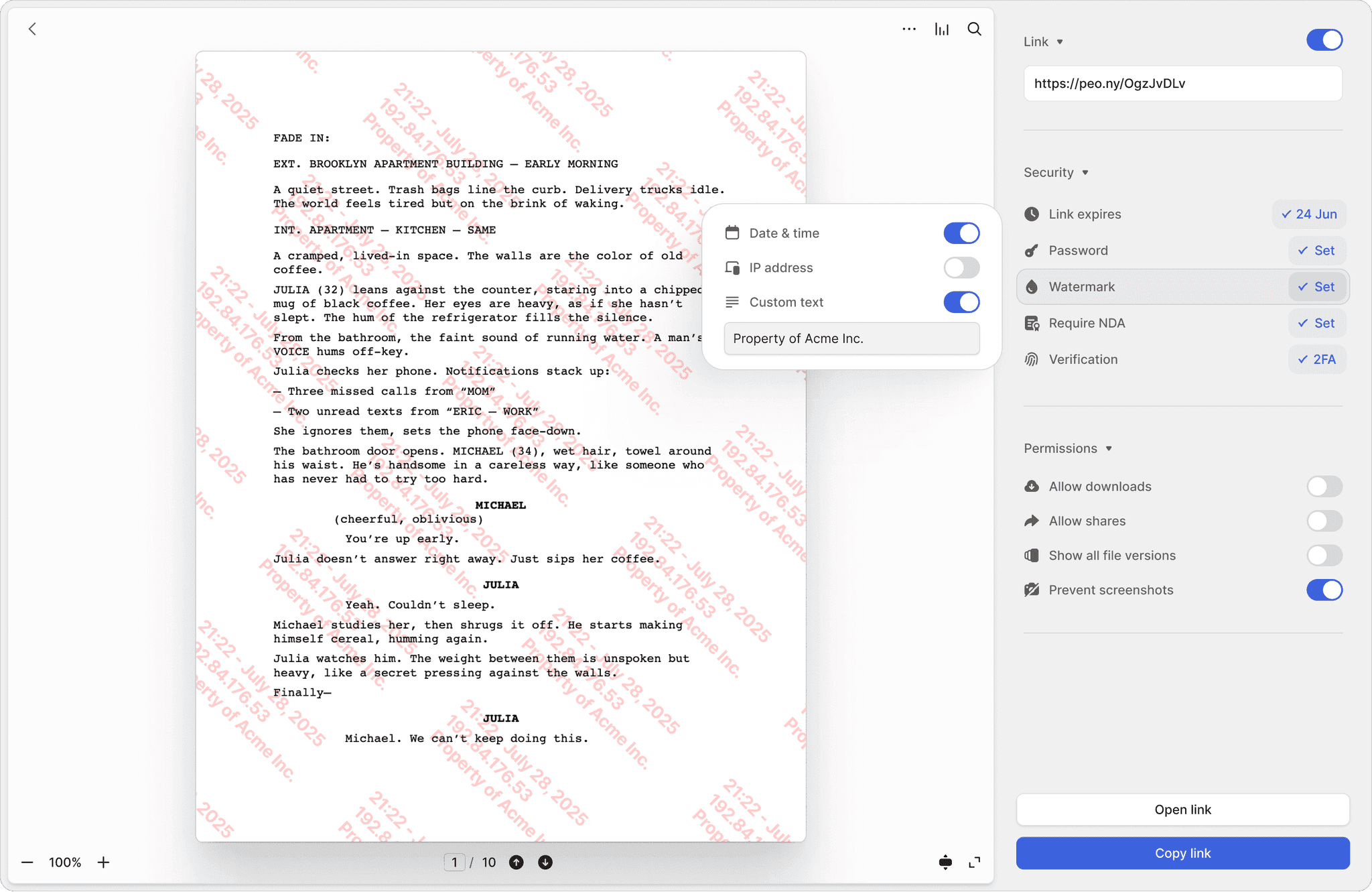
AES-256 encryption and 2FA on every plan. NDA-gated access, granular permissions, redaction, and screenshot blocking on Business; dynamic watermarks on the Data Room plan.
Learn more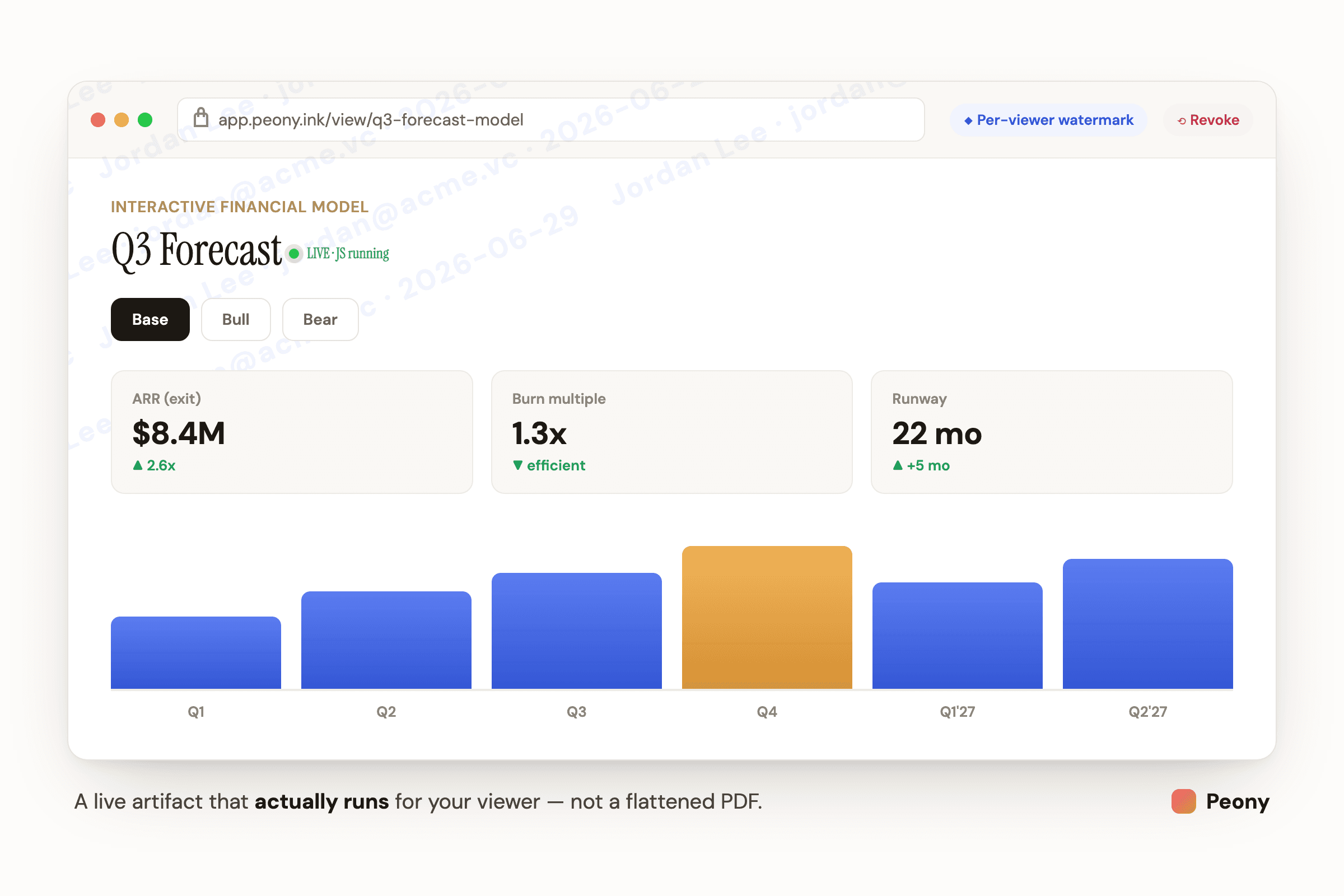
Share live Claude & GPT artifacts — not dead PDFs
Peony renders .html natively with JavaScript running, so an interactive Claude or GPT artifact — a financial model, a dashboard, an ROI calculator — actually works for the person you send it to. Then it wraps the live app in screenshot protection, NDA gating, page analytics, and instant revoke. Build it in Claude and push it straight into a room with the Peony MCP, no leaving the chat.
Learn more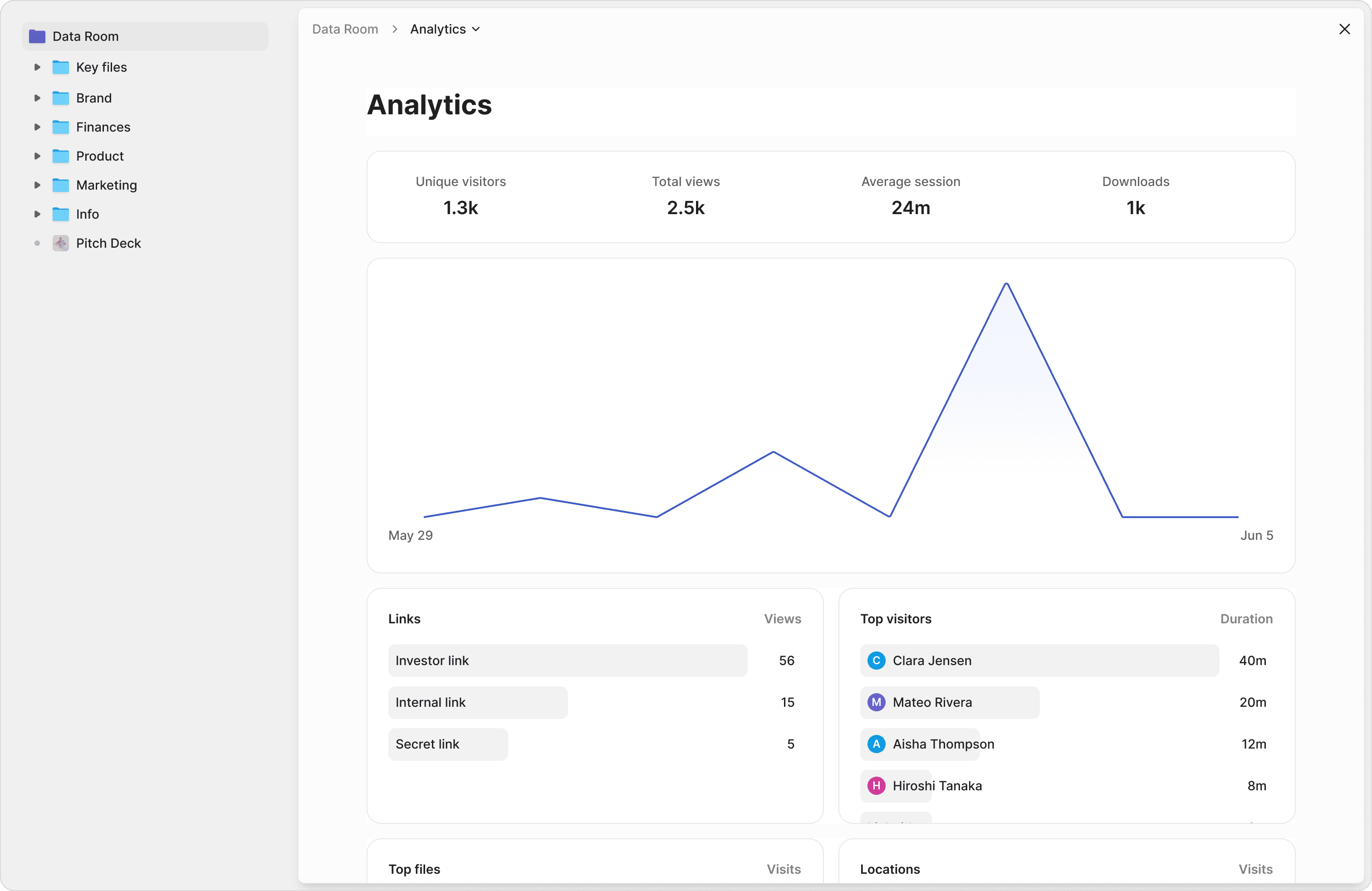
Know who's looking
Track who opened your files, which pages they read, and how long they spent. Page-level analytics and diligence tracking that turn viewer data into deal intelligence.
Learn more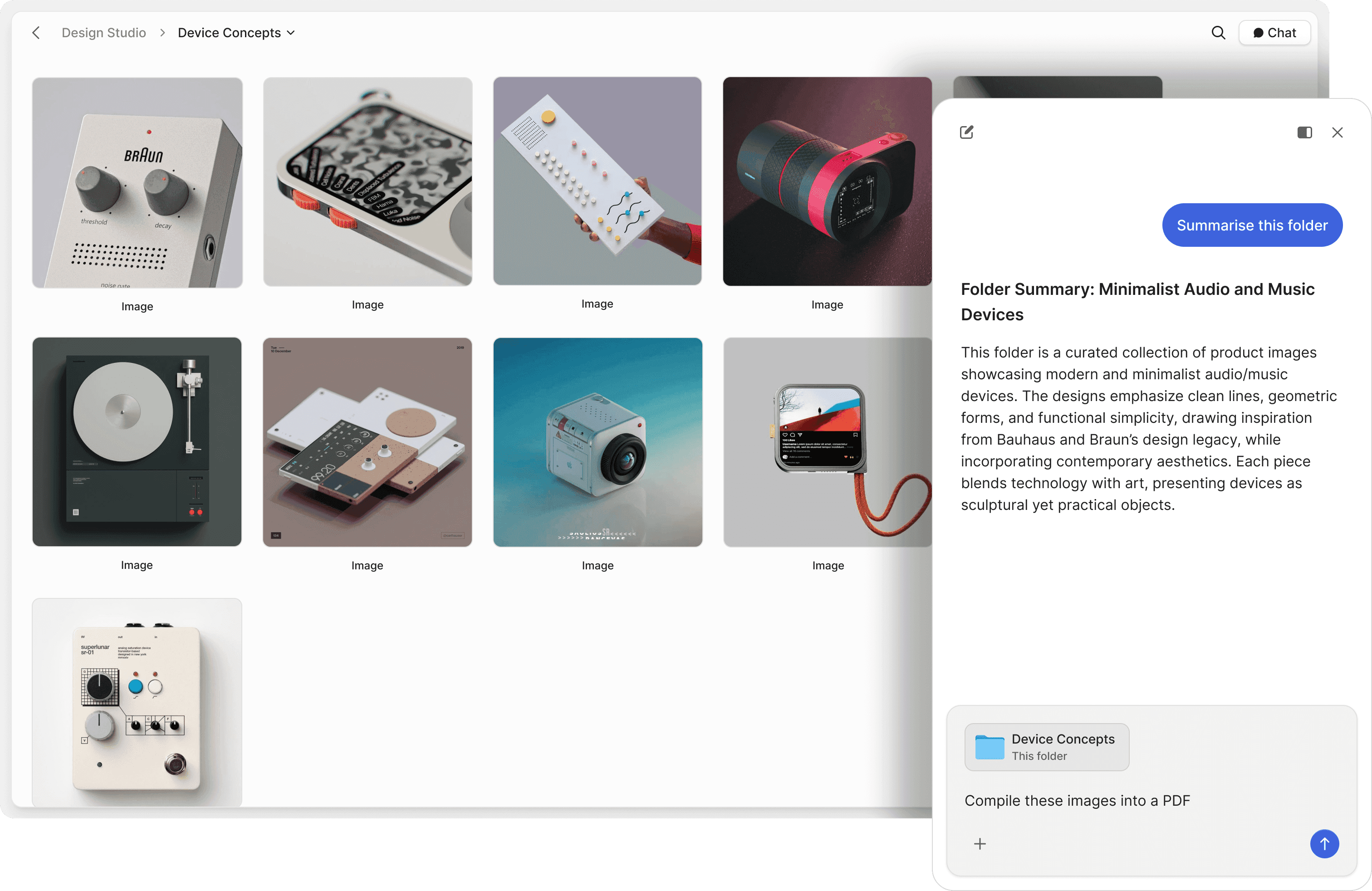
Answers in seconds, not days
Turn your data room into a managed knowledge base. AI gives viewers accurate answers drawn from your documents — with tiered access so you control which files they can see versus what the AI learns from. Track every question asked, monitor failed responses, and see exactly how counterparties are using the agent.
Learn more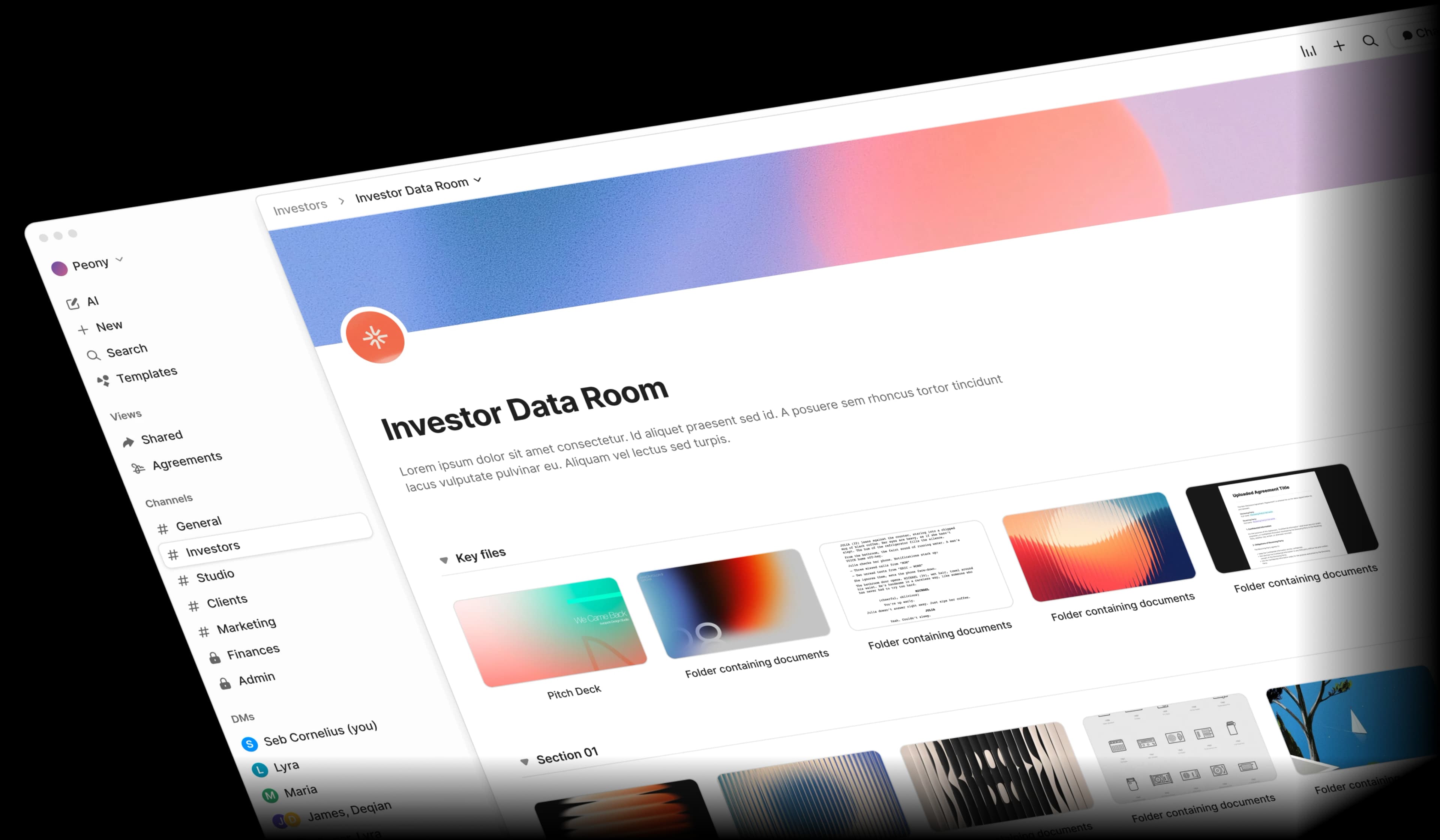
Thousands of files, organized in minutes
AI classifies uploads into the right folders, scores your room for completeness, and surfaces what's missing — so you can manage thousands of files without getting lost. Smart search across every document, permission suggestions by deal role, and templates to structure your room in minutes.
Learn more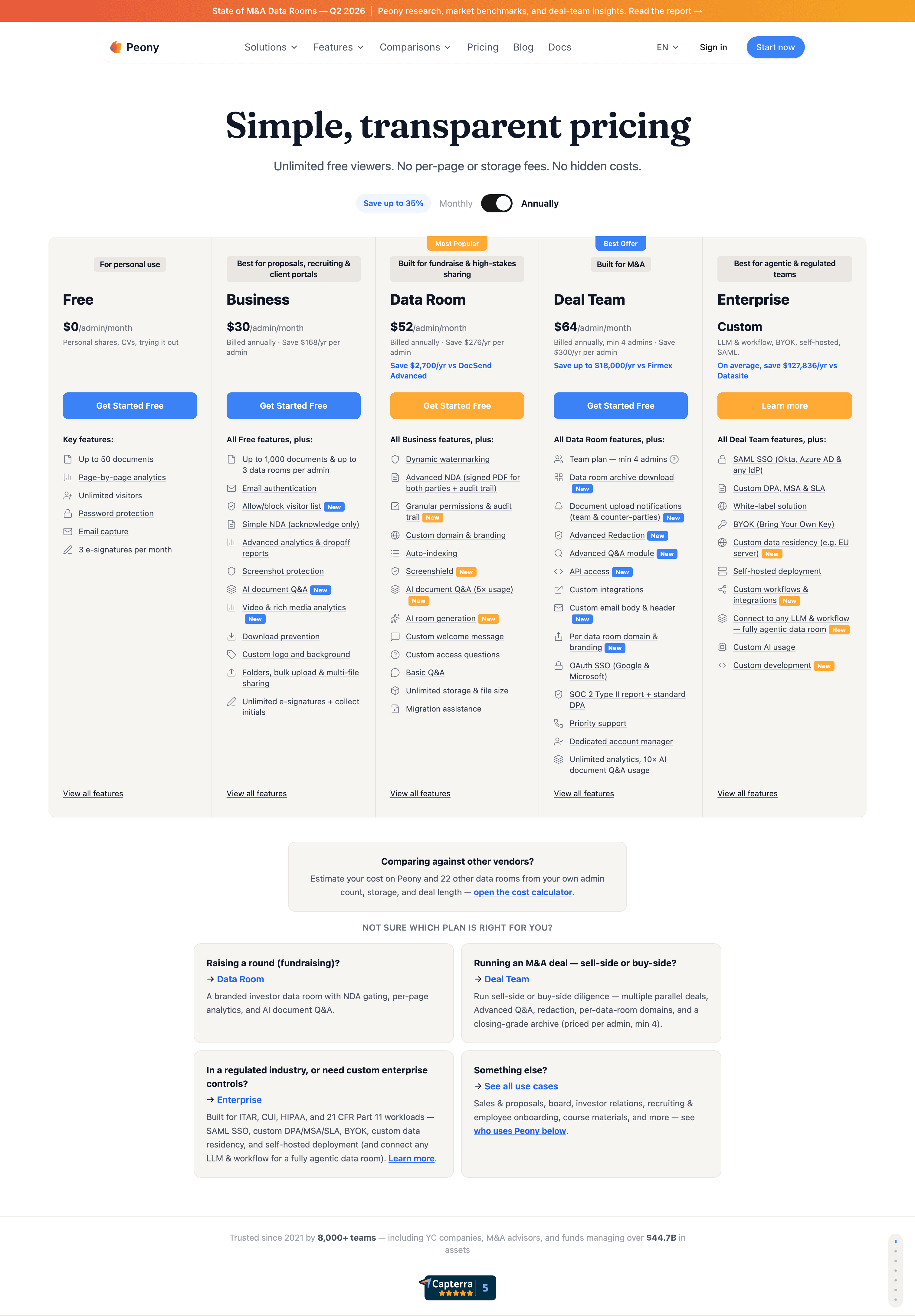
No hidden fees. No waiting for support.
Every feature — AI, security, analytics — included from $30/admin/month (Business), with full data rooms on Data Room at $52/admin/month. No per-page charges, no storage penalties, no $1,000+ legacy contracts that aren't justified for lean deal teams. Solution engineers across the US, EU, and Asia respond within minutes, any day, any time zone.
Learn more"Peony is a standout for data rooms and gated file sharing — it gave us the control and visibility needed to close the deal with a great viewer experience."
Michael Hui
Managing Director, Piton Partners
Your deals deserve better infrastructure
Legacy VDRs charge $25,000–$50,000+ per deal and take days to provision — a $150,000+ annual cost for an independent sponsor running 3 proprietary deals. Peony sets up in 5 minutes at $52/admin/month — with enterprise security, granular permissions, structured Q&A workflows, customizable AI knowledge base, and action-level analytics
What legacy VDRs charge per deal

Datasite
Per-page pricing & add-on fees
$50,000+
per deal

Intralinks
AI document chat, per-MB fees
$50,000+
per deal

Ideals
Per-GB storage pricing
$25,000+
per project

Sterling
Multilingual deal support
$10,000+
per deal

Firmex
Mid-market data rooms
$5,000+
per project

Ansarada
Storage-tier fees, Datasite-owned
$5,000+
per deal
Typical cost
$25,000–$50,000+
per deal

What Peony includes

Peony
All-in-one data room
$52/admin
per month
Total cost
$52/admin/month
No per-deal, per-page, or per-user overage fees
Priced for teams of one or two — not seat bundles of five
Most self-serve data rooms sell seat packages — three or five admin licenses, whether you need them or not. Across thousands of deals run on Peony, most teams operate their data room with one or two admins. So that is how Peony is priced: flat, per-admin, with no seat minimums on self-serve plans
One or two admins is the norm
That is how most M&A, CRE, and fundraising teams actually run a data room — so you never pay for three empty seats.
Transparent flat pricing
Business is $30 and Data Room is $52 per admin per month — no per-page fees, no storage fees, no setup fees, and no sales call to see a price.
No seat minimums on self-serve plans
Free, Business, and Data Room start at a single admin. Deal Team ($64/admin/month, minimum 4 admins) exists for larger advisory teams that need controlled redaction.
Security that never compromises
AES-256 encryption, 2FA, and per-page analytics on every plan. NDA gating, granular permissions, watermarks, screenshot blocking, and detailed audit logs on Data Room, with controlled redaction on Deal Team. Control exactly which bidders, LPs, or co-investors see which documents — and what they can do with them.
Link expiration dates
Set expiration dates on shared links. Automatically revoke access after a chosen time frame for secure, time-limited file sharing.
Password Protection
Add password protection to any shared file or folder. Ensure only authorized users can access your confidential content.
One click watermarking
Protect documents with dynamic watermarks. Deter unauthorized sharing by marking files with viewer details, timestamps, or your company brand.
Two-Factor Authentication
Add an extra layer of security with 2FA. Require recipients to verify identity before accessing sensitive documents or folders.
Screenshot protection
Block screenshots of sensitive files and folders. Ensure confidential content cannot be copied or leaked through screen captures.
NDA-gated access
Gate sensitive documents behind an NDA. Recipients must digitally sign a non-disclosure agreement before viewing or downloading your files.
Granular permissions
Control access at the folder, file, or page level. Set view-only, download, or no-access rules per recipient or group — ideal for multi-party due diligence.
Document redaction
Redact sensitive information before sharing. Black out financials, names, or confidential terms while keeping the rest of the document accessible.
Detailed audit logs
Every view, download, print, and access attempt is logged with timestamps, IP addresses, and device details. Export compliance-ready reports for any deal.
Analytics and diligence tracking
Real-time tracking and engagement data. See which bidders opened the management presentation, how long each LP spent on the PPM, and which investors read the financial model. Track diligence progress across buyers, co-investors, and advisors — and know exactly when to follow up.
File Engagement Tracking
See which files bidders, LPs, and investors are opening, how long they spend on revenue schedules versus legal exhibits, and where their attention is focused.
Page-by-Page Analytics
Go beyond file-level views with detailed insights into which pages of your CIM, pitch deck, or PPM get the most engagement from each viewer.
Visitor Activity
Track exactly who accessed your Data Room, when they logged in, what device they used, and how they interacted with your documents.
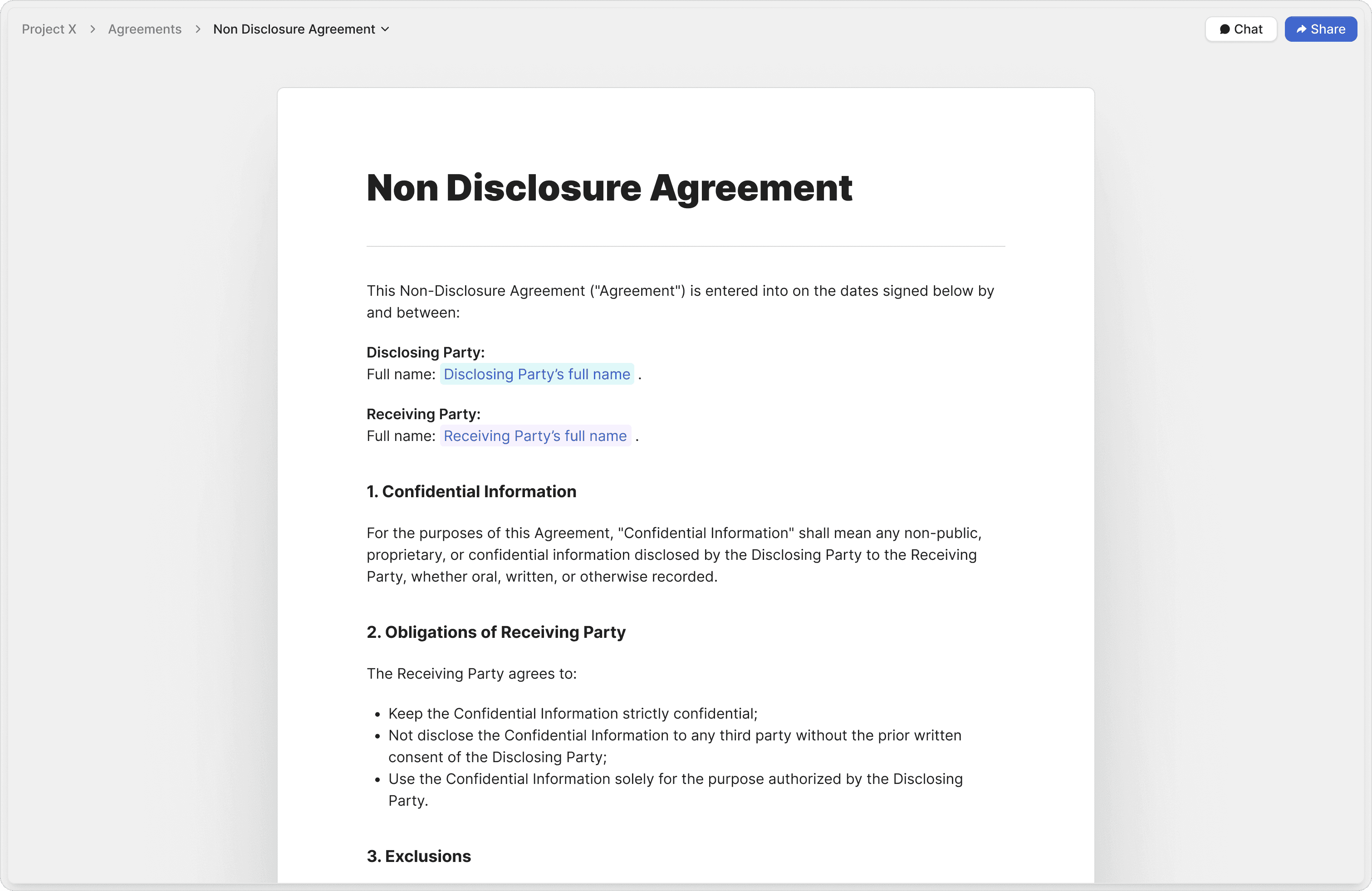
Auto Markup
Let AI automatically add signature, date, and input fields to your agreements. Speed up contract preparation with auto-detected fields.
Vetted Agreement Templates
Start faster with attorney-approved templates for NDAs, sales contracts, and more. Ensure compliance and reduce drafting errors.
Audit Trails
Track every signature, timestamp, and action with comprehensive audit trails. Ensure legal compliance and document integrity.
"Peony is easily the best form factor for sharing client-facing material. At this point, I love hearing, 'Does Sepal AI have a sales deck?'"

Robi Lin
Founder & CEO, Sepal AI (YC S24)
Track their questions
Monitor what recipients ask most frequently and identify their pain points. Get insights into prospect behavior and close more deals by addressing their specific concerns and questions in real-time.
Chat with files & folders
Talk to your documents and folders like a teammate. Use AI to ask questions, get summaries, and retrieve information instantly without manual searching.
Natural language search
Search through your files using natural language. Find exactly what you need without remembering exact file names or complex search terms.
Generate files & folders
Launch projects faster with AI-generated folder hierarchies and ready-to-use documents. Save time by letting AI create the structure and first drafts for you.
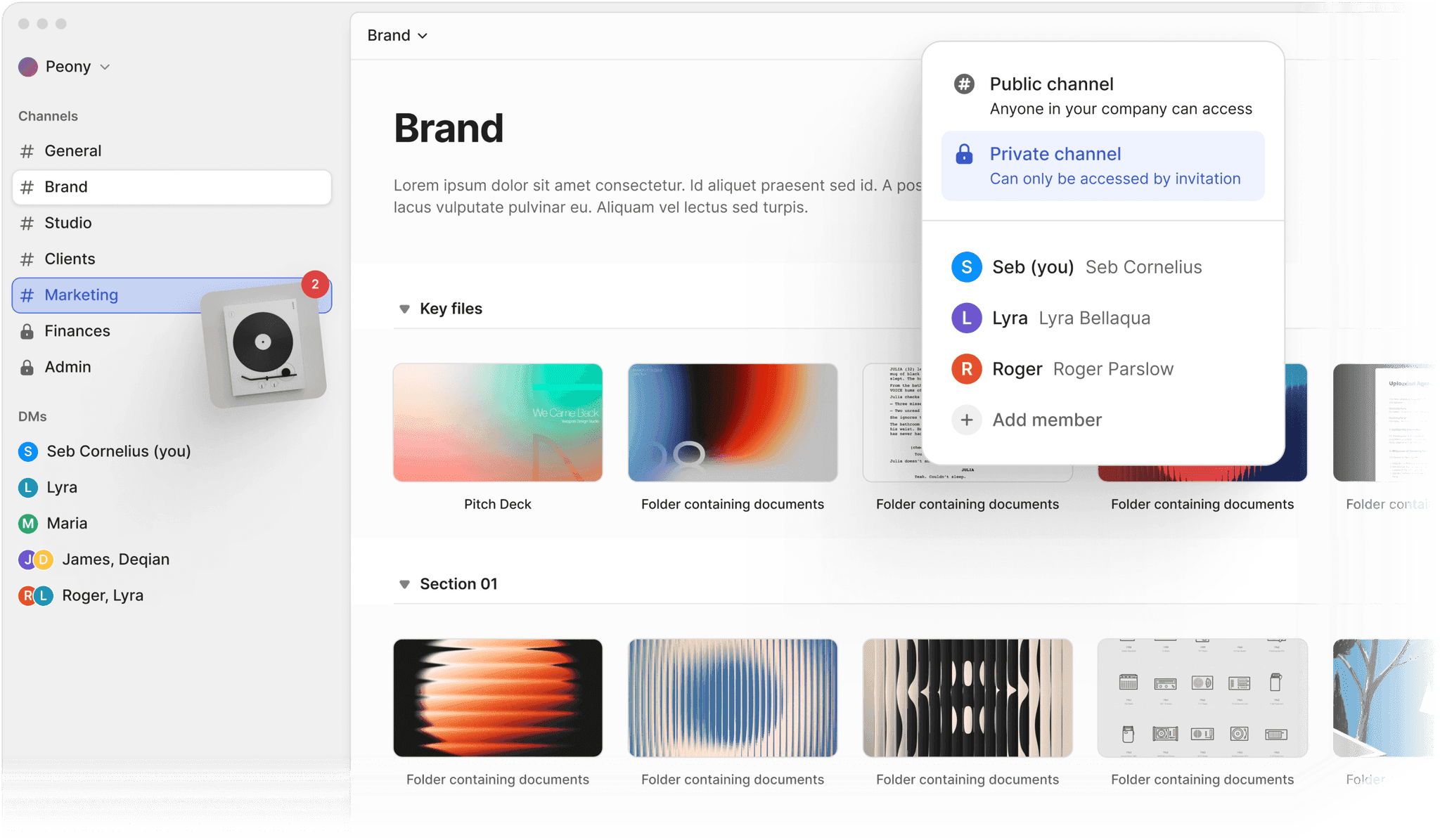
Seamless file collaboration
Work together in shared spaces with comments and feedback tied directly to files. Keep conversations context-rich and organized.
Channel based permissions
Control who can access files with intuitive, channel-based permissions. Simplify access management across your team.
Direct File Sharing with DM's
Send files privately to individuals with simple, secure direct links. Share without creating unnecessary channels.
Auto organize
Keep your digital workspace clean and consistent. AI renames, tags, and sorts files into logical folder structures without manual effort.
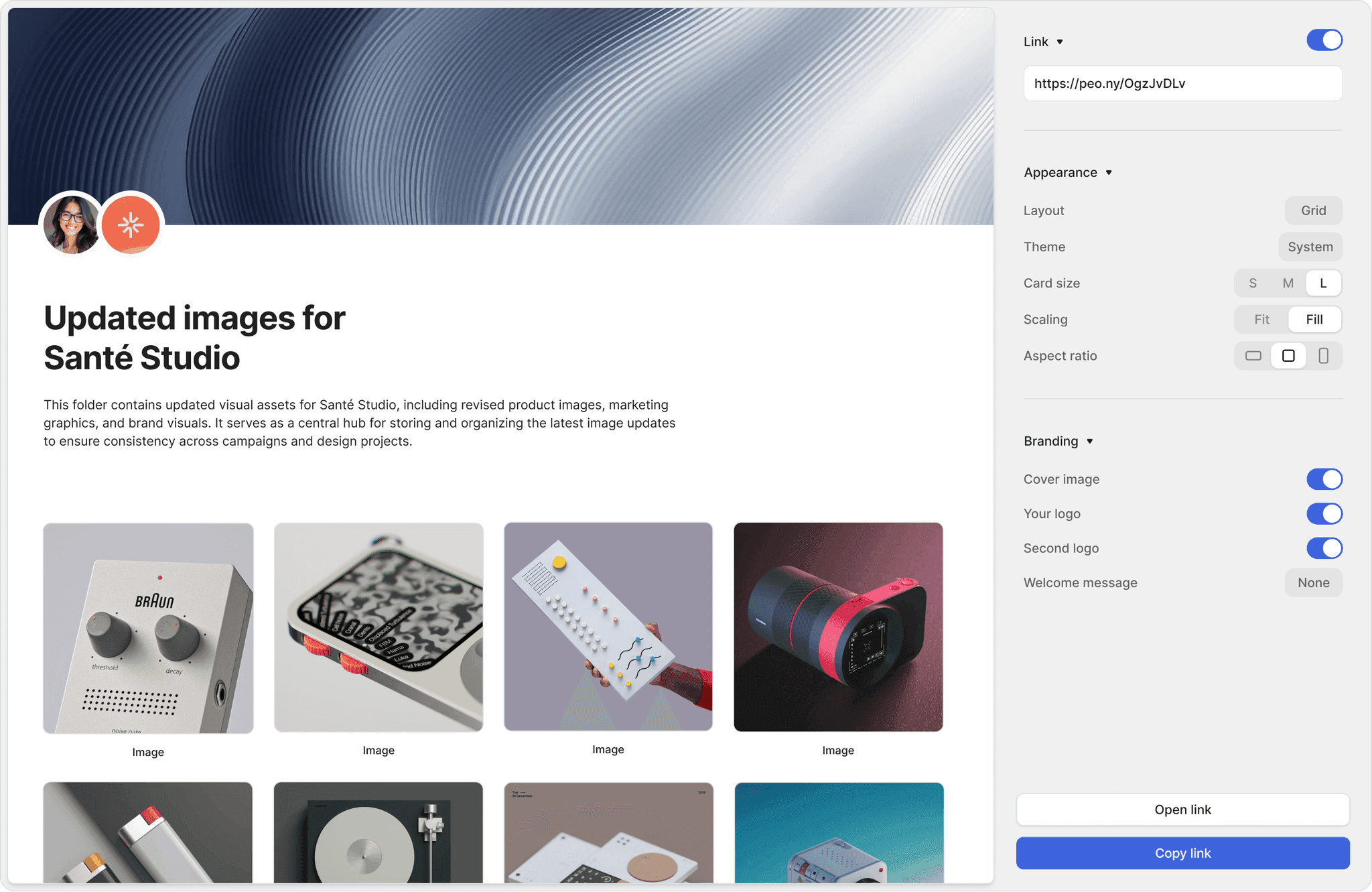
Multi-Link File Sharing
Generate unlimited links to the same file or folder. Control access for different audiences with unique settings on every link.
Branded shares
Customize every share with your logo, cover image, and brand colors. Deliver professional, on-brand file sharing experiences for clients and partners.
Personalised shares
Tailor each file link with unique messages, client logos, or custom URLs. Create a personalized experience for every recipient.
Trusted by 8,000+ teams who close deals
Across 60+ countries and regions and 30+ industries — funds, founders, independent sponsors, PE firms, M&A advisors, lawyers, and real estate professionals rely on Peony every day.
Anish Bharadwaj
Founder & CEO, KiwiQ
“Peony is a great example of a customer-obsessed company with a fantastic sense of design and UX. We moved on from Docsend in the first week (that was an easy decision), but what we are really excited about is what all Peony does next - to make document sharing and consumption a lot more delightful.”
Rango Ramesh
Founder & CEO, HeySimulate (Techstars)
“Peony is the best way to share files. Period. It's way more professional than Google Drive links or email attachments. It also lets me see if my recipients have opened my files and for how long. I'm gonna use this for all my pitches - great to see a product that has as much design and effort in it as my slides.”
Mark Petrov
Loop, Head of Financials
“Peony is by far the simplest and most intuitive way to populate and share data rooms/materials with investors and partners. All the key analytics and features integrated into a sleek interface!”
Anthony Gale
Founder & CEO, PromoLens
“Not often I make recommendations, but I started using Peony to share presentations etc with external people. It works so well & makes us look really organized. We looked at DocSend etc. but the cost & clunkiness just put us off.”
Ed Harris
Founder & CEO, Ligo Bio (YC S24)
“Peony has been great for sharing documents with investors, employees, and customers. It's easy to use, good value, and new features are constantly being added. Definitely recommend!”
Germain Brion
Founder, Veritai
“The team at Peony put craft into everything they do; from the product to their support, they shine through how much they care.”
Akash Ghavalkar
Co-founder & COO - Third Space
“We'd been searching for a solution like Peony for ages, and it has completely transformed our workflows. What used to take hours every week is now effortless—Peony saves us so much time that we were finally able to move away from Dropbox Sign. It's been a total game changer!”
Panos Moutafis
Founder & CEO, Zenus
“Every now and then, you come across a product that has a massive positive impact on your business. Peony is one such product.”
Robi Lin
Founder & CEO, Sepal AI (YC S24)
“Peony is easily the best form factor for sharing client facing material. It lets us stand out by embedding custom booking and website links into secure deck shares - DocSend and PDFs require 3 extra clicks to book a meeting. At this point, I love hearing "does Sepal AI have a sales deck?".”
David Westrop
Logistics Plus Inc
“For our team, ease of use was the deciding factor. They aren't the most tech-forward, but Peony's UI was the most comprehensive and intuitive we evaluated — everyone sets up rooms and reads analytics without help. Between a happier team and better pricing, switching is the easy call.”
Brett M.
Company Secretary
Verified review on G2
“Peony has streamlined and simplified our Due Diligence and client engagement process with its easy-to-use data room. The functionality to invite as many clients/invitees to the data room is an added benefit and avoids numerous emails with documents flowing back and forth.”
Sudhir S.
Chief Technology Officer
Verified review on G2
“Peony has completely streamlined our workflow for managing investor and partner materials by providing an incredibly intuitive, secure data room experience that replaces clunky legacy tools. I am particularly impressed by the combination of enterprise-grade security, granular permission controls, and actionable analytics, all wrapped in a beautifully designed interface.”
Kirsty B.
Senior Consultant
Verified review on G2
“I love Peony's customization features; they are fantastic because they allow you to guide investors through your history and organize files the way you want. Their AI feature is also great, helping my investors with complex business plans by facilitating document searches, finding factual answers, and pointing to the right documents.”
Built by deal people. Before Peony, our team ran live mandates at Moelis, Nomura, Barclays, and Houlihan Lokey and invested at Backed VC and Target Global — the product, onboarding, and support are designed by people who have sat on your side of the table. Meet the team →
Peony vs legacy virtual data rooms
Feature-by-feature comparison of Peony against legacy VDR providers. Enterprise-grade security and AI at a fraction of the cost — with no per-page, per-deal, or storage-based fees.
| Feature | Peony | Datasite | Intralinks | Ideals | Sterling | Firmex | Ansarada |
|---|---|---|---|---|---|---|---|
| Starting price | Free ($0) | $50,000+per deal | $50,000+per deal | $25,000+per project | $10,000+per deal | $5,000+per project | $5,000+per deal |
| Per-page fees | None | Yes | Yes | None | — | None | None |
| Storage-based fees | None | — | Per-MB | Per-GB | — | — | Tiered |
| Setup time | Under 5 minutes | Days | Days | 30+ minutes | Hours | 20+ minutes | Hours |
| AI document chat | Add-on | ||||||
| Structured Q&A workflows | Basic | Basic | Needs configuration | Basic | |||
| Unlimited storage | Unlimited | Limited | Per-MB fees | Per-GB fees | Limited | Limited | Limited |
| Unlimited users | Per-user fees | Per-user fees | — | ||||
| Built-in e-signatures | Limited | ||||||
| Screenshot protection | Screenshield | Add-on | Needs configuration | — | — | ||
| AI file organization | Add-on | ||||||
| Automatic NDA | Needs configuration | — | |||||
| Dynamic watermarks | Add-on | ||||||
| Custom domain & branding | Add-on | Add-on | Add-on | Add-on | — | ||
| Ease of use | 9.4/10 | 7.5/10 | 7.2/10 | 8.7/10 | 7.4/10 | 8.5/10 | 8.2/10 |
| Average user satisfaction | 9.7/10 | 7.5/10 | 7.2/10 | 8.9/10 | 7.3/10 | 8.8/10 | 7.9/10 |
Starting price reflects the typical starting price for a mid-market project. Setup time reflects the typical time needed to prepare a mid-market project for use. Ratings are based on assessments by independent experts.
Frequently asked questions
How do M&A advisors use Peony to run sell-side data rooms?
Peony is built for the sell-side workflow that M&A advisors manage every day. Upload your CIM, financial models, and management presentations, and Peony's auto-indexing organizes them into a deal-ready folder structure in minutes. The Data Room plan ($52/admin/month) gives you NDA-gated access so buyers sign before they see a single page, granular folder permissions to stage Phase 1 and Phase 2 diligence, and page-level analytics that show which bidders are spending the most time on revenue schedules versus legal exhibits. Thousands of deal teams — including boutique advisors and funds managing over $44.7B in assets — run their transactions on Peony.
Is Peony secure enough for confidential M&A transactions?
Peony is purpose-built for the most sensitive deal documents — CIMs, board minutes, IP schedules, and management financials. Every file is encrypted with AES-256 at rest and TLS 1.3 in transit, backed by SOC 2 Type II-ready and ISO 27001-ready infrastructure, with both audits underway. Peony is GDPR, CCPA, and HIPAA compliant. All plans include two-factor authentication, link expiry, and comprehensive audit logs. The Data Room plan ($52/admin/month) adds NDA-gated access, screenshot protection, and dynamic watermarks — so your deal team controls exactly who sees which documents and what they can do with them. The Deal Team plan ($64/admin/month, minimum 4 admins) adds controlled redaction on top.
How does Peony compare to DocSend, Ideals, or Firmex for investment banking deals?
Unlike DocSend, Peony is a full data room with folder-level permissions, NDA gating, redaction, and built-in e-signatures — not just a link-sharing tool. Compared to legacy providers like Ideals and Firmex, Peony includes AI document chat, auto-indexing, and smart Q&A at no extra charge. For bankers juggling multiple live mandates, the difference is speed: Peony sets up in under 5 minutes with no sales call or vendor procurement, while legacy providers often take days or weeks to provision a single room.
Can a startup use Peony to share a pitch deck and track investor engagement?
Peony is what thousands of YC-backed and seed-stage startups use to share pitch decks, financial models, and cap tables with prospective investors. Upload your deck and share a secure link — Peony tracks exactly which investors opened it, how long they spent on each slide, and when they came back for a second look, so your founding team knows who to follow up with. The Free plan includes per-page analytics, 2FA, and link controls. Business ($30/admin/month) adds password protection and e-signatures for term sheets.
How long does it take to set up a fundraising data room on Peony?
Founders typically go live in under 5 minutes. Upload your pitch deck, financials, and incorporation documents, and Peony's auto-indexing classifies them automatically while AI generates a diligence checklist tailored to your round. Configure permissions, share a secure link with your target investors, and start tracking engagement immediately — no sales call, no onboarding process, and no credit card required to start. Peony is designed so early-stage teams can move at the speed their fundraise demands, unlike legacy providers that require weeks of vendor procurement.
How do private equity firms use Peony for LP fundraising and portfolio diligence?
PE firms use Peony to run LP data rooms for fundraising, continuation vehicles, and co-investment processes. Peony's Data Room plan ($52/admin/month) provides NDA-gated access, dynamic watermarks tied to each LP, and page-level analytics that show which LPs are actively reviewing your PPM, track record, and side-letter terms. At $624 per year for one admin — versus $60,000 or more at providers like Datasite — Peony gives boutique and mid-market PE firms enterprise-grade security without the enterprise price tag.
Does Peony support AI-powered Q&A for buy-side diligence teams?
Peony includes AI-powered Q&A on the Data Room plan ($52/admin/month), built for the back-and-forth that defines buy-side diligence. AI document chat lets your associates and analysts research across hundreds of files using natural language — surface a revenue recognition policy buried on page 47 of an audit, or cross-reference customer contracts against disclosed liabilities. Smart Q&A provides a structured workflow where your diligence team submits questions and Peony drafts answers from the data room for the sell-side to review and approve. AI document Q&A is included on the Business plan and scales up on Data Room and higher tiers.
Can law firms use Peony to manage document review and NDA workflows?
Law firms use Peony to manage diligence document review, NDA execution, and privilege-sensitive productions. The Data Room plan ($52/admin/month) includes NDA-gated access with attorney-approved templates, so counterparties sign before they see any materials. On the Deal Team plan ($64/admin/month, minimum 4 admins), controlled redaction lets your associates black out privileged or commercially sensitive information without leaving the platform. Peony also includes legally binding e-signatures on Business ($30/admin/month) and Data Room plans, eliminating the need for separate tools like DocuSign. AI-assisted auto-markup detects signature and date fields automatically, saving paralegals hours of manual prep.
How does Peony help in-house legal teams control access to board materials and contracts?
In-house counsel use Peony to share board materials, employment agreements, and IP filings with granular, role-based access controls. The Data Room plan ($52/admin/month) lets you set folder-level and file-level permissions so each director, officer, or outside advisor sees only what they should. Screenshot protection and dynamic watermarks deter unauthorized distribution, and comprehensive audit logs give your legal team a defensible record of who accessed which document and when — critical for regulatory inquiries, litigation holds, and board governance.
Can sales teams use Peony to share proposals and track buyer engagement?
Sales teams use Peony to send proposals, pricing decks, and security questionnaires with full visibility into buyer behavior. Peony's page-level analytics show which stakeholders opened your proposal, how long they spent on the pricing page versus the case studies, and whether they forwarded it internally — so your AE knows exactly where the deal stands before the next call. The Free plan includes per-page analytics, 2FA, and link controls. Business ($30/admin/month) adds password protection and e-signatures to close contracts directly from the same link you used to share the proposal.
I'm an independent sponsor running a $30M proprietary acquisition — can I use the same platform for buyer diligence and LP co-investment materials?
Yes, and this dual workflow is exactly what Peony's multi-room architecture handles. For a $30M deal where you need to run buy-side diligence on the target while simultaneously sharing the investment memo and co-investment terms with 4 LP groups, create separate data rooms with different permission tiers inside the same workspace. Your diligence room gets NDA-gated access with screenshot protection so the seller's financials stay contained. Your LP room gets a different permission set with page-level analytics showing which LPs are actively reviewing the memo and co-investment agreement — so you know who is moving toward commitment before the exclusivity window closes. Peony Data Room at $52 per admin per month includes unlimited rooms, multi-level gating, and dynamic watermarks on both sides of the transaction. Traditional VDRs like Datasite charge $50,000 or more per room, which means independent sponsors running 3–4 proprietary deals per year face $150,000–$200,000 in annual data room costs before closing a single deal.
Our venture fund is raising Fund III and sharing the PPM with 30 institutional LPs — how does Peony handle a multi-party LP fundraise?
Create one data room for your Fund III materials — PPM, track record, team bios, side-letter templates, and reference call schedules — and generate a unique share link for each LP or LP group. Each link gets its own permission tier and analytics dashboard, so you see exactly which LPs opened the PPM, how long they spent on the track record pages versus the fee structure, and when they came back for a second review. For a 30-LP process, this intelligence tells your IR team who to prioritize for follow-up calls and who is unlikely to commit. Peony dynamic watermarks print each LP's name on every page, so if a document leaks to a competitor fund, you know the source. Peony Data Room at $52 per admin per month covers unlimited links and unlimited LPs — legacy VDR providers charge per-user fees that make a 30-LP process prohibitively expensive.
Our PE firm is structuring a $120M continuation vehicle — how do we manage conflicting access levels between existing LPs and new secondary buyers?
Continuation vehicles require careful information segregation because existing LPs evaluating the rollover have different disclosure rights than new secondary buyers pricing the asset. In Peony, create folder-level permissions so existing LPs see the full portfolio company history, GP track record, and proposed carry terms, while secondary buyers see only the investment memo, current financials, and indicative pricing. Each group gets a separate share link with its own NDA gate and analytics. For a $120M CV with 15 existing LPs and 6 prospective secondaries, Peony page-level analytics show you which secondary buyers are spending real time on the financials versus skimming the summary — that is your signal for who to invite to management presentations. Peony Data Room at $52 per admin per month handles both LP groups in one workspace. Running the same process on Intralinks or Datasite typically requires two separate rooms at $50,000 each.
Why does Peony price per admin instead of selling seat packages like most data rooms?
Most self-serve data room providers sell seat bundles — packages of three, five, or ten admin licenses — so small teams pay for capacity they never use. Across the thousands of deal teams on Peony, the pattern is consistent: most run their data room with one or two admins, and Peony pricing is designed around that reality. Plans are flat and per-admin — Business at $30/admin/month and Data Room at $52/admin/month — with no seat minimums on self-serve plans and no per-page, storage, or setup fees. A two-admin team gets a full NDA-gated data room with dynamic watermarks and page-level analytics for $104 per month on the Data Room plan, versus $50,000 or more per deal at legacy providers like Datasite or Intralinks. The Deal Team plan ($64/admin/month, minimum 4 admins) exists for larger advisory teams that need controlled redaction.