




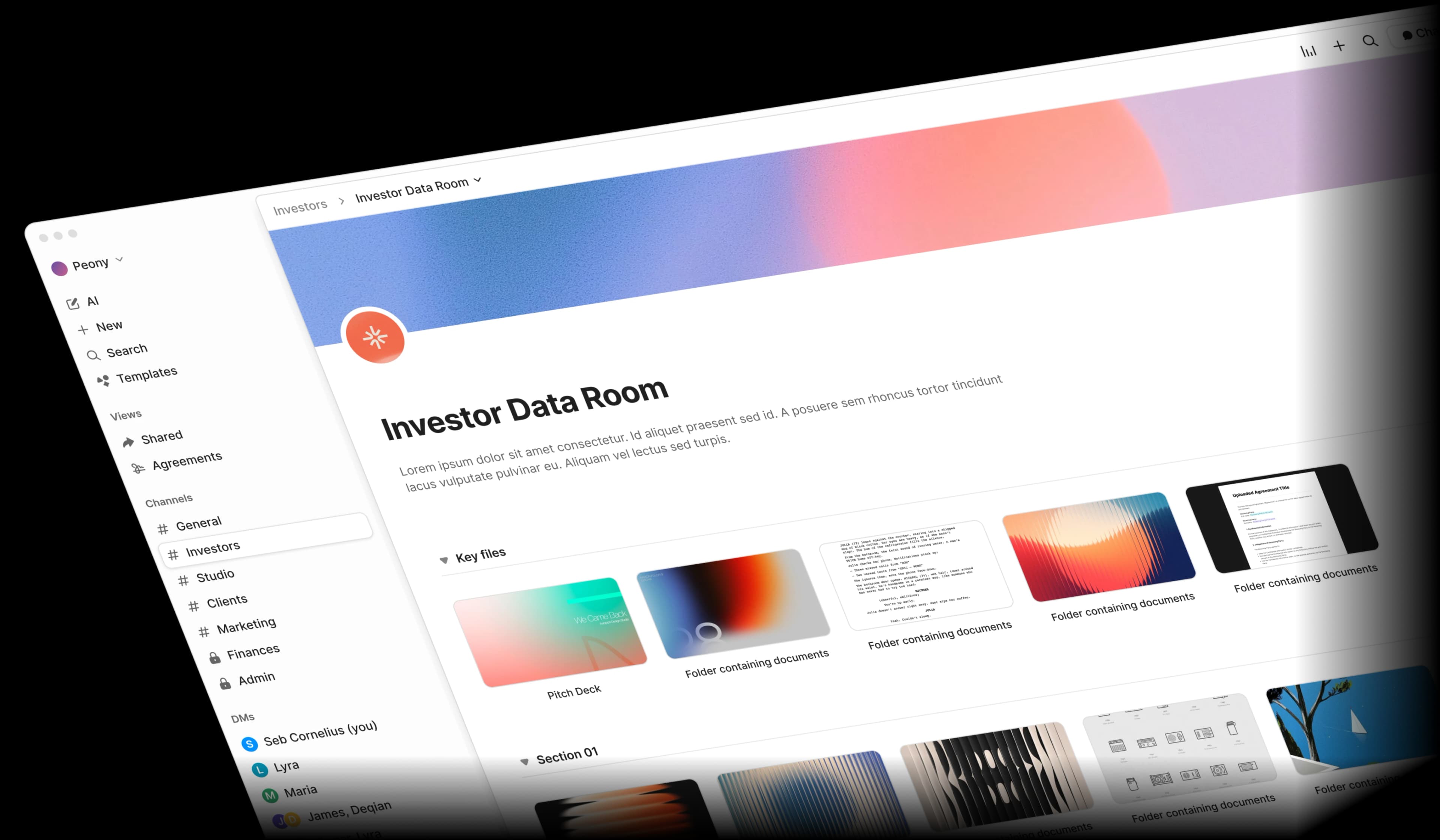
Stop paying overpriced SaaS.
Really, please.
Plus they aren't even that good. Read our teardown why DocSend is such a ripoff. Your CFO will thank you. Your runway will thank you.
Before: Multiple Expensive Tools

DocSend
Document analytics
$300/user
per month

Ideals
Secure data room
$450/user
per month

DocuSign
eSignatures
$75/user
per month

WeTransfer
File sharing
$25/user
per month

Dropbox
Document storage
$30/user
per month

Glean
AI document search
$50/user
per month
Total Cost
$940/user/month
$11,280 per user per year

After: One Powerful Tool

Peony
All-in-one file system
$40/admin
per month
Total Cost
$40/admin/month
Save $11,240 per admin per year
"Every now and then, you come across a product that has a massive positive impact on your business. Peony is one such product."
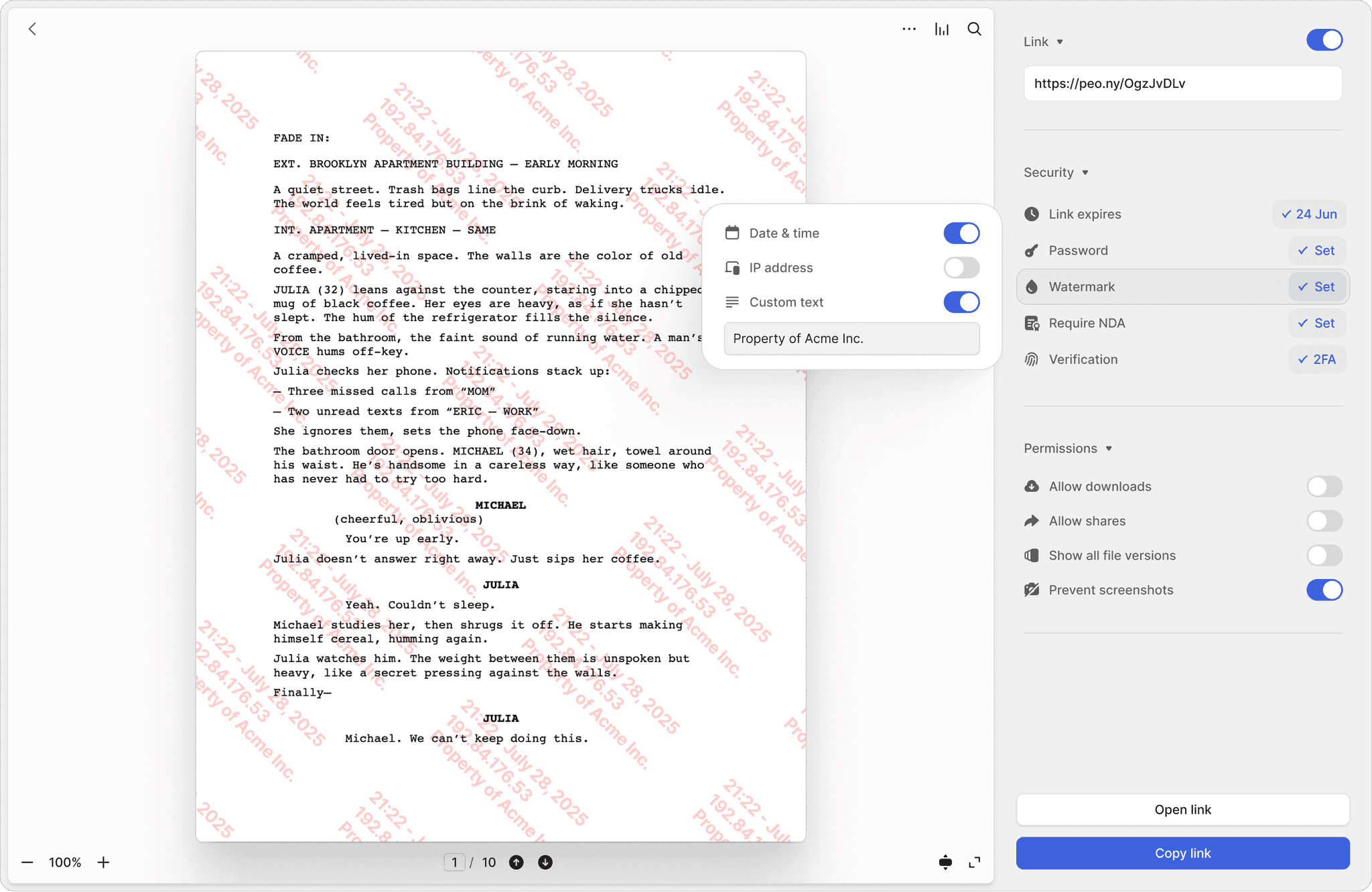
Link expiration dates
Set expiration dates on shared links. Automatically revoke access after a chosen time frame for secure, time-limited file sharing.
Password Protection
Add password protection to any shared file or folder. Ensure only authorized users can access your confidential content.
One click watermarking
Protect documents with dynamic watermarks. Deter unauthorized sharing by marking files with viewer details, timestamps, or your company brand.
Two-Factor Authentication
Add an extra layer of security with 2FA. Require recipients to verify identity before accessing sensitive documents or folders.
Screenshot protection
Block screenshots of sensitive files and folders. Ensure confidential content cannot be copied or leaked through screen captures.
Secure with NDA
Gate sensitive documents behind an NDA. Recipients must digitally sign a non-disclosure agreement before viewing or downloading your files.
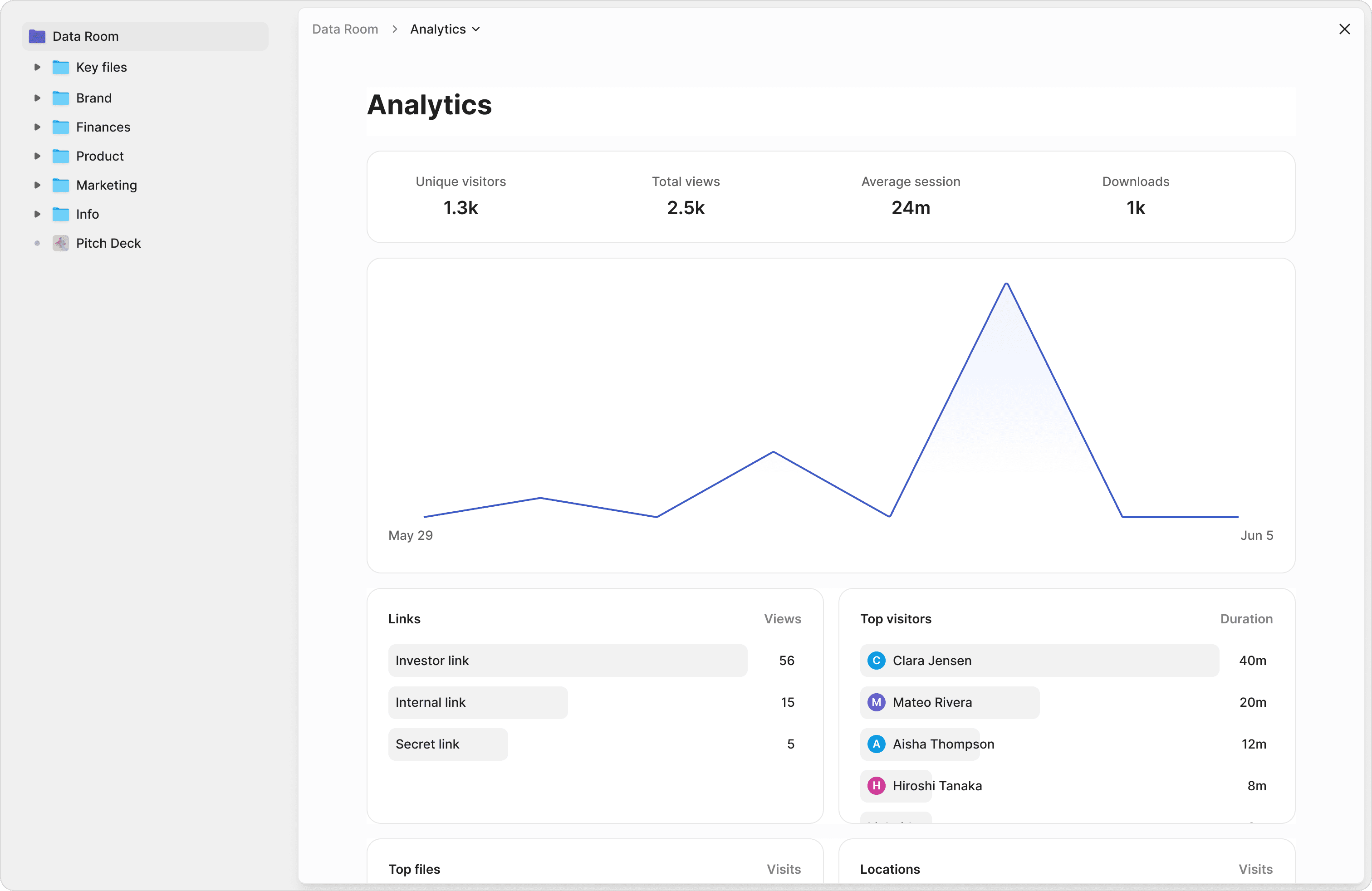
File Engagement Tracking
See which files investors are opening, how long they're spending on them, and where their attention is focused.
Page-by-Page Analytics
Go beyond file-level views with detailed insights into which pages of your pitch deck or reports get the most engagement.
Visitor Activity
Track exactly who accessed your Data Room, when they logged in, what device they used, and how they interacted with your documents.
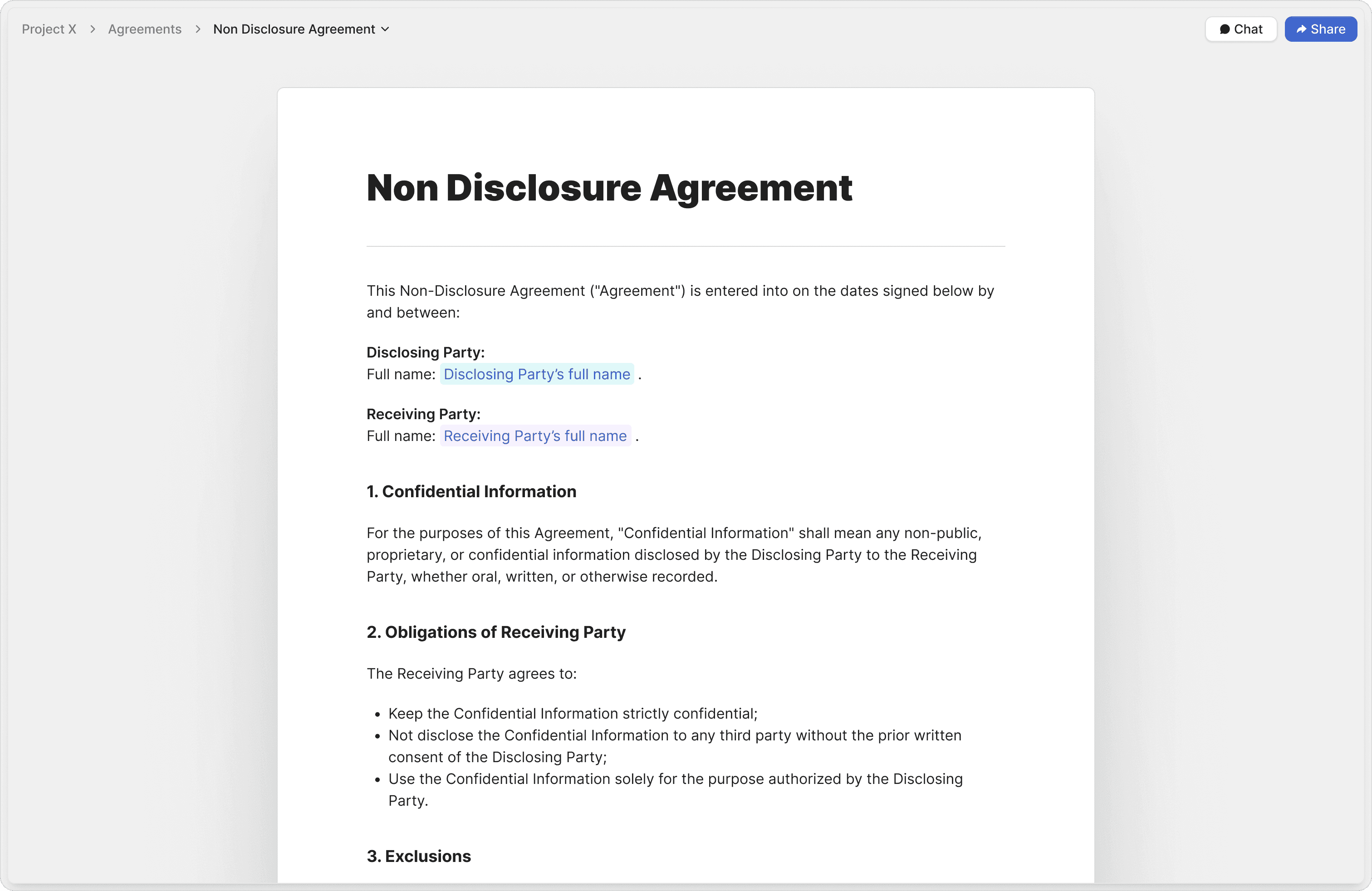
Auto Markup
Let AI automatically add signature, date, and input fields to your agreements. Speed up contract preparation with auto-detected fields.
Vetted Agreement Templates
Start faster with attorney-approved templates for NDAs, sales contracts, and more. Ensure compliance and reduce drafting errors.
Audit Trails
Track every signature, timestamp, and action with comprehensive audit trails. Ensure legal compliance and document integrity.
"Peony is easily the best form factor for sharing client-facing material. At this point, I love hearing, 'Does Sepal AI have a sales deck?'"

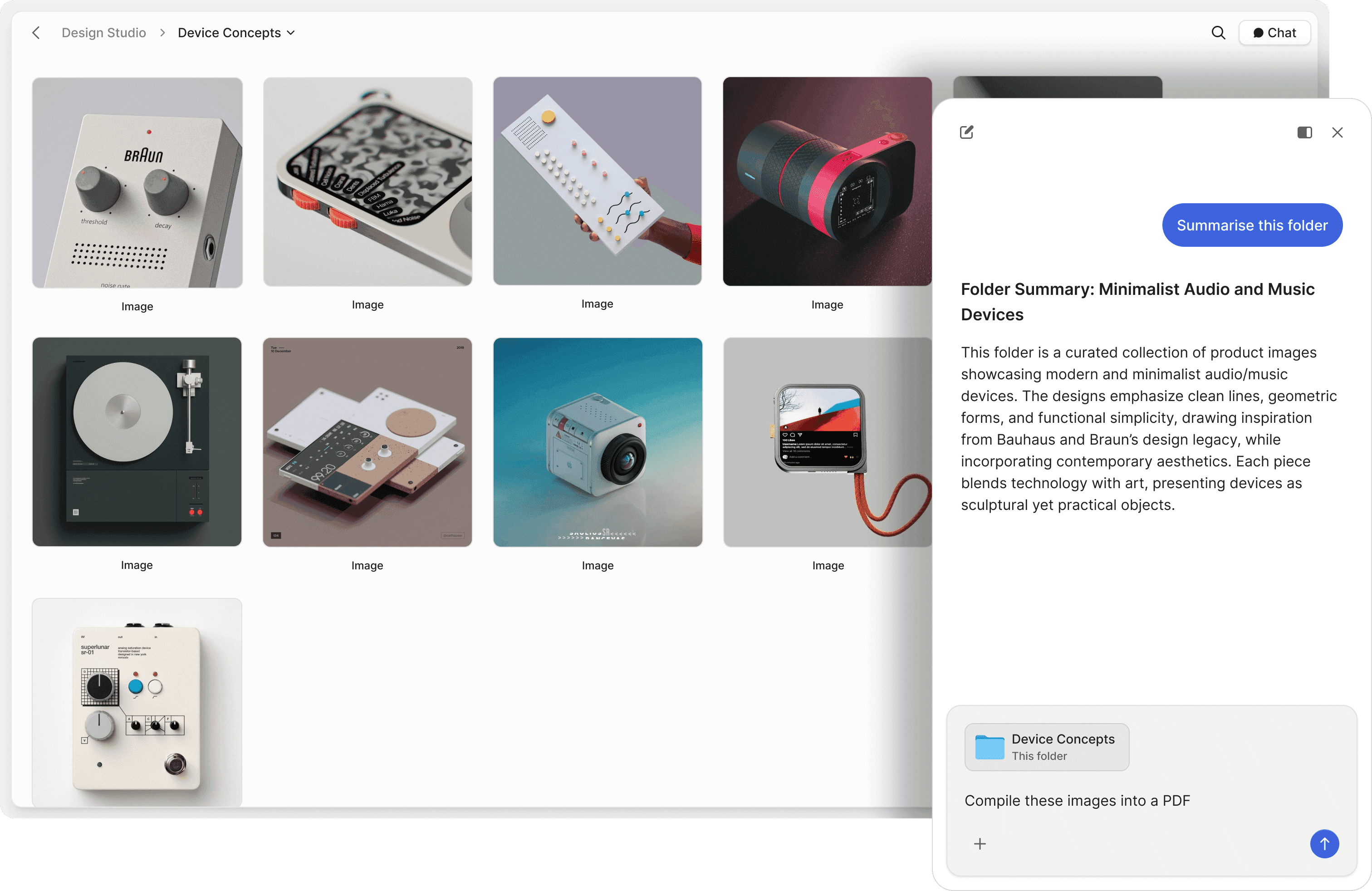
Turn documents into AI assistants
Instant answers 24/7. Don't make your recipients dig through dozens of files. Get AI to answer their questions whilst you sleep and make it effortless for them to find exactly what they need.
Track their questions
Monitor what recipients ask most frequently and identify their pain points. Get insights into prospect behavior and close more deals by addressing their specific concerns and questions in real-time.
Chat with files & folders
Talk to your documents and folders like a teammate. Use AI to ask questions, get summaries, and retrieve information instantly without manual searching.
Natural language search
Search through your files using natural language. Find exactly what you need without remembering exact file names or complex search terms.
Generate files & folders
Launch projects faster with AI-generated folder hierarchies and ready-to-use documents. Save time by letting AI create the structure and first drafts for you.
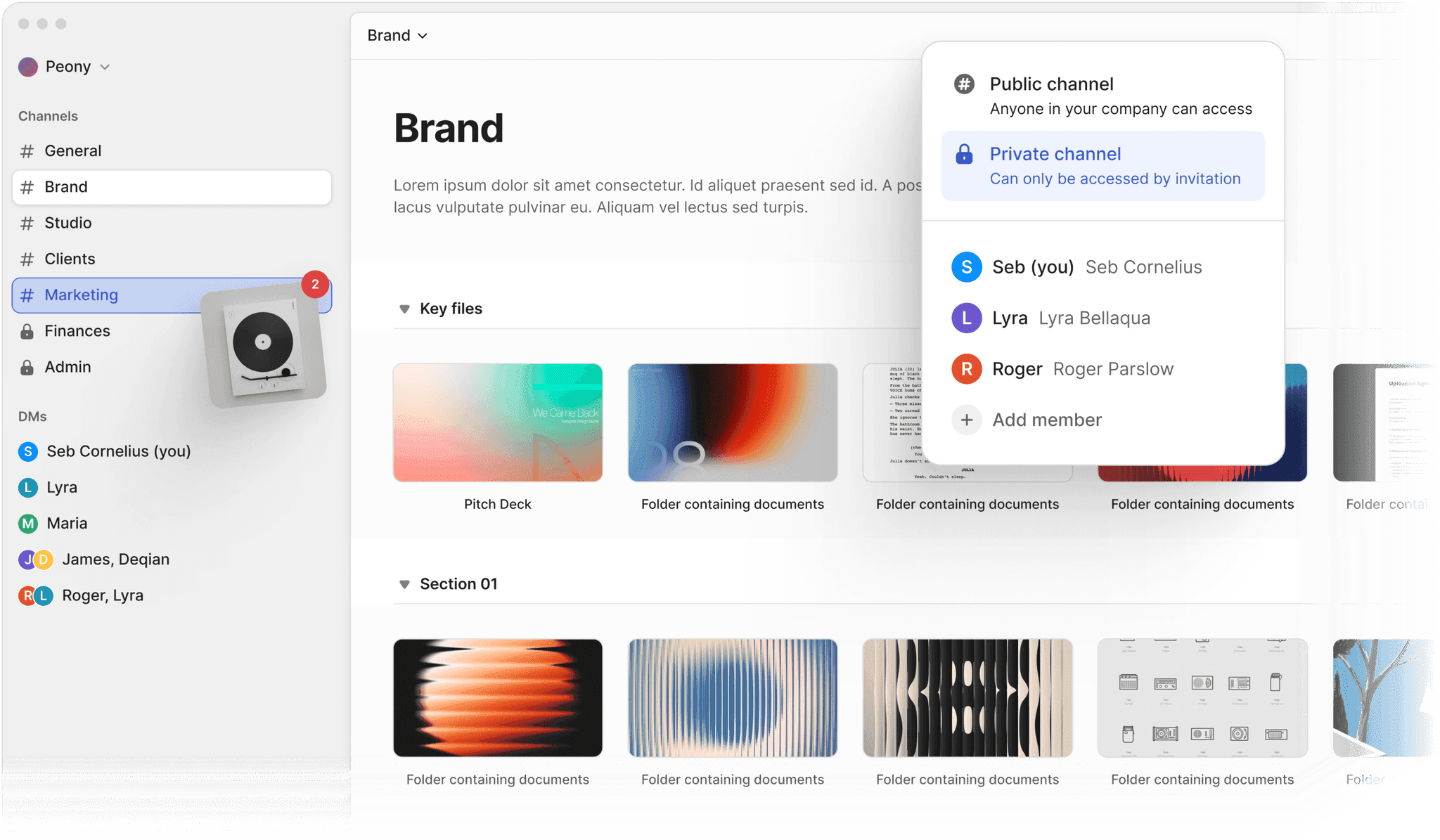
Seamless file collaboration
Work together in shared spaces with comments and feedback tied directly to files. Keep conversations context-rich and organized.
Channel based permissions
Control who can access files with intuitive, channel-based permissions. Simplify access management across your team.
Direct File Sharing with DM's
Send files privately to individuals with simple, secure direct links. Share without creating unnecessary channels.
Auto organize
Keep your digital workspace clean and consistent. AI renames, tags, and sorts files into logical folder structures without manual effort.
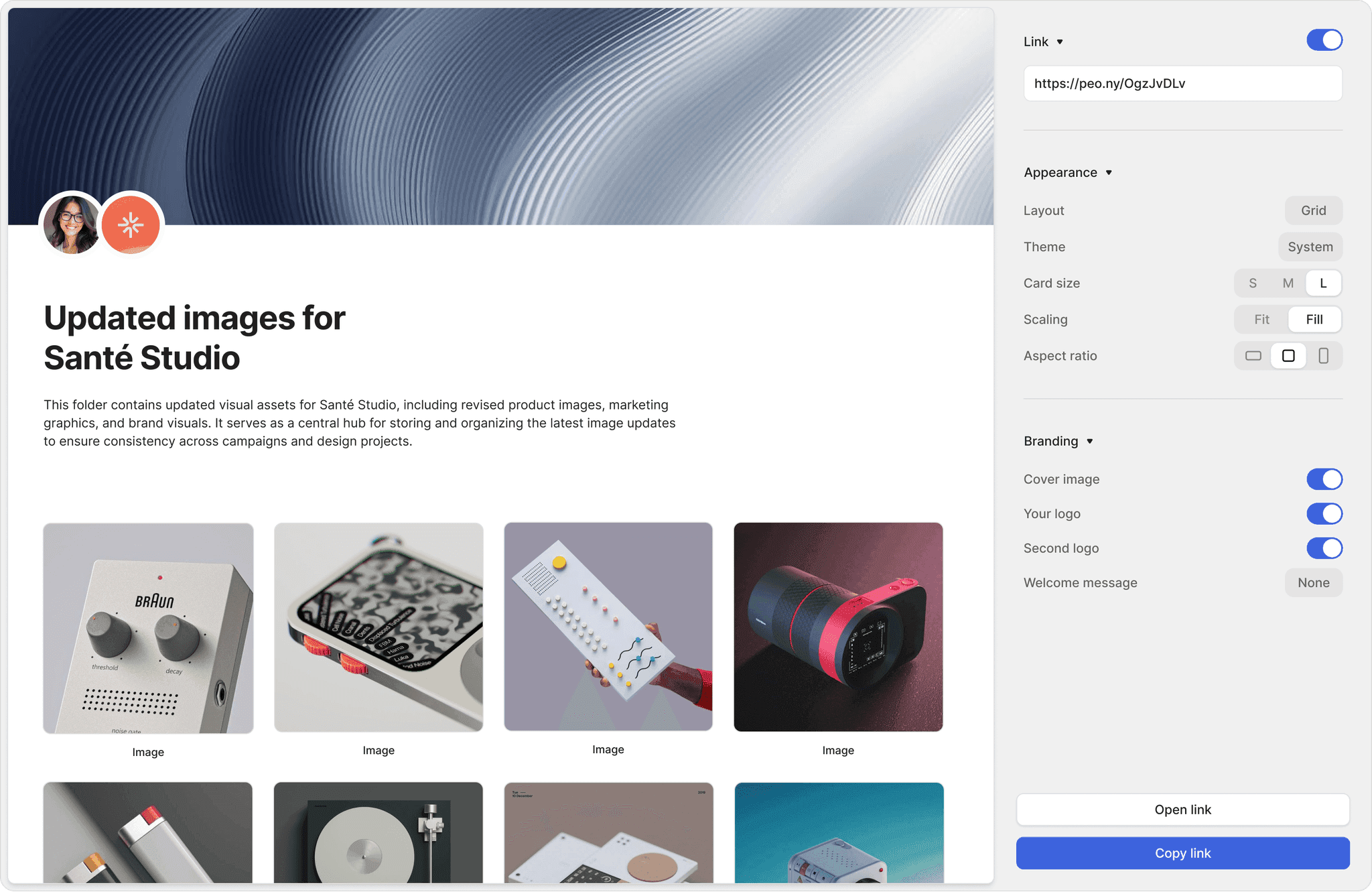
Multi-Link File Sharing
Generate unlimited links to the same file or folder. Control access for different audiences with unique settings on every link.
Branded shares
Customize every share with your logo, cover image, and brand colors. Deliver professional, on-brand file sharing experiences for clients and partners.
Personalised shares
Tailor each file link with unique messages, client logos, or custom URLs. Create a personalized experience for every recipient.
Hear the roar of love
Really awesome people love Peony. You should give it a try too. Seriously.
Anish Bharadwaj
Founder & CEO, KiwiQ
Peony is a great example of a customer-obsessed company with a fantastic sense of design and UX. We moved on from Docsend in the first week (that was an easy decision), but what we are really excited about is what all Peony does next - to make document sharing and consumption a lot more delightful.
Rango Ramesh
Founder & CEO, HeySimulate (Techstars)
Peony is the best way to share files. Period. It's way more professional than Google Drive links or email attachments. It also lets me see if my recipients have opened my files and for how long. I'm gonna use this for all my pitches - great to see a product that has as much design and effort in it as my slides.
Mark Petrov
Loop, Head of Financials
Peony is by far the simplest and most intuitive way to populate and share data rooms/materials with investors and partners. All the key analytics and features integrated into a sleek interface!
Anthony Gale
Founder & CEO, PromoLens
Not often I make recommendations, but I started using Peony to share presentations etc with external people. It works so well & makes us look really organized. We looked at DocSend etc. but the cost & clunkiness just put us off.
Ed Harris
Founder & CEO, Ligo Bio (YC S24)
Peony has been great for sharing documents with investors, employees, and customers. It's easy to use, good value, and new features are constantly being added. Definitely recommend!
Germain Brion
Founder, Veritai
The team at Peony put craft into everything they do; from the product to their support, they shine through how much they care.
Akash Ghavalkar
Co-founder & COO - Third Space
We'd been searching for a solution like Peony for ages, and it has completely transformed our workflows. What used to take hours every week is now effortless—Peony saves us so much time that we were finally able to move away from Dropbox Sign. It's been a total game changer!
Michael Hui
Managing Director at Piton Partners
Peony is a standout for data rooms and gated file sharing — intuitive, secure, and beautifully designed. The AI actually adds value, not just a checkbox feature. Highly recommend.
Robi Lin
Founder & CEO, Sepal AI (YC S24)
Peony is easily the best form factor for sharing client facing material. It lets us stand out by embedding custom booking and website links into secure deck shares - DocSend and PDFs require 3 extra clicks to book a meeting. At this point, I love hearing "does Sepal AI have a sales deck?".
Peony vs legacy VDR providers — feature-by-feature
See how Peony compares to the most common virtual data room providers. Enterprise-grade security and AI at a fraction of the cost — with no per-page, per-deal, or storage-based fees.
| Feature | Peony | Datasite | Intralinks | Ideals | Sterling | Firmex | Digify |
|---|---|---|---|---|---|---|---|
| Starting price | Free ($0) | $25,000+/deal | $25,000+/deal | $25,000+/project | $10,000+/deal | $5,000+/project | $500/mo |
| Per-page fees | None | Yes | Yes | None | — | None | None |
| Storage-based fees | None | — | Per-MB | Per-GB | — | — | None |
| Setup time | Under 5 minutes | Days | Days | 30+ minutes | Hours | 20+ minutes | 15+ minutes |
| AI document chat | Included | Add-on | Included | Not included | Not included | Not included | Not included |
| Structured Q&A workflows | Included | Basic | Basic | Not included | Not included | Not included | Not included |
| Unlimited storage | Up to 1 TB | Limited | Per-MB fees | Per-GB fees | Limited | Limited | Limited |
| Unlimited users | Included | Per-user fees | Per-user fees | Add-on | — | Included | Per-user fees |
| Built-in e-signatures | Included | Not included | Not included | Not included | Not included | Not included | Not included |
| Screenshot protection | Included (Screenshield) | Add-on | Not included | Add-on | — | Not included | Included |
| AI file organization | Included | Add-on | Not included | Not included | Not included | Not included | Not included |
| Automatic NDA | Included | Not included | Not included | Add-on | Not included | Not included | Not included |
| Dynamic watermarks | Included | Add-on | Not included | Included | Not included | Included | Included |
| Custom domain & branding | Included | Add-on | Add-on | Add-on | Not included | Add-on | Add-on |
| Ease of use (public rating) | 9.4/10 | 7.5/10 | 7.2/10 | 8.7/10 | 7.4/10 | 8.5/10 | 6.9/10 |
| Average user satisfaction | 9.7/10 | 7.5/10 | 7.2/10 | 8.9/10 | 7.3/10 | 8.8/10 | 7.5/10 |
Frequently asked questions
What is a virtual data room and who needs one?
A virtual data room (VDR) is a secure online platform for storing and sharing confidential documents during deals, fundraising, and due diligence. Peony is a modern data room used by startups, PE and VC firms, investment banks, and legal teams — anyone who needs enterprise-grade security without the complexity of legacy providers like Ideals or Firmex.
How fast can I set up a data room with Peony?
Peony data rooms are ready in under 5 minutes. Upload your documents, set permissions, and share a link — no onboarding calls or training required. Peony also generates AI-powered due diligence checklists tailored to your deal type, tracking uploaded versus missing documents with completeness scoring. Legacy VDRs like Firmex and Datasite often take days or weeks to provision, while Peony gives you enterprise security at startup speed.
What security features does Peony include?
Peony includes dynamic watermarks, screenshot protection, password-protected links, link expiry, NDA gating, two-factor authentication, controlled redaction, and granular per-user permissions — all backed by AES-256 encryption at rest, TLS 1.3 in transit, and SOC 2 Type II compliant infrastructure. Unlike Ideals or Digify, which charge extra for advanced security features, Peony bundles everything from the free tier up.
Does Peony have AI features for data rooms?
Yes. Peony includes Smart Q&A, a structured 4-step workflow where counterparties submit questions, AI drafts answers from your documents, your team reviews, and approved responses are published — keeping your side in full control. Peony also offers auto-indexing for full-text search and OCR, plus AI-assisted room setup with folder templates and completeness scoring — all included, not upsold.
How much does Peony cost compared to other data rooms?
Peony offers a free plan ($0) with 2 GB of storage. The Pro plan is $20 per admin per month (200 GB) and Business is $40 per admin per month (1 TB) with no per-viewer, per-page, or per-link limits — costs stay predictable regardless of deal size. Competitors like Ideals, Firmex, and Datasite charge hundreds per user per month and often require annual contracts. Peony delivers the same enterprise-grade controls at a fraction of the cost.
Can I track who views my data room documents?
Absolutely. Peony provides page-by-page analytics showing exactly which documents each viewer opened, how long they spent on every page, and where they dropped off. You also get real-time email notifications when someone enters your data room — giving you deeper engagement insights than DocSend or basic file-sharing tools.
Does Peony support eSignatures inside the data room?
Yes. Peony includes built-in eSignatures with AI-powered field detection, attorney-approved NDA templates, and full audit trails. You can gate data room access behind an NDA that recipients must sign before viewing any documents — no need to pay for a separate tool like DocuSign.
How does Peony compare to DocSend and legacy VDR providers?
DocSend is a document sharing tool that lacks full data room features like folder-level permissions, NDA gating, and AI-powered Q&A. Legacy VDRs like Ideals, Firmex, and Digify offer those features but at significantly higher prices with outdated interfaces. Peony combines enterprise security, page-by-page analytics, built-in eSignatures, and AI — all with a free plan ($0).
Related features
E-Signatures
Collect legally binding signatures on NDAs, contracts, and agreements without leaving Peony.
Team Collaboration
Invite your team, assign roles, and manage documents together from a shared workspace.
Enterprise Security
AES-256 encryption, SOC 2 Type II compliance, and granular access controls to protect every document.